Mon–Fri 9:00 AM–6:00 PM · Sat 10:00 AM–4:00 PM PKT

WhatsApp +92 337 865 2735
Retail

FBR POS integration for retailers

FBR POS integration searches usually come from shops, pharmacies, and chains that must issue FBR-compliant digital invoices at the till. Integron is not a POS vendor — it is FBR digital invoicing software you can pair with your POS through the REST API or manual/scheduled submission.

FBR POS and retail invoicing
FBR POS invoicing system logo
FBR POS invoicing system
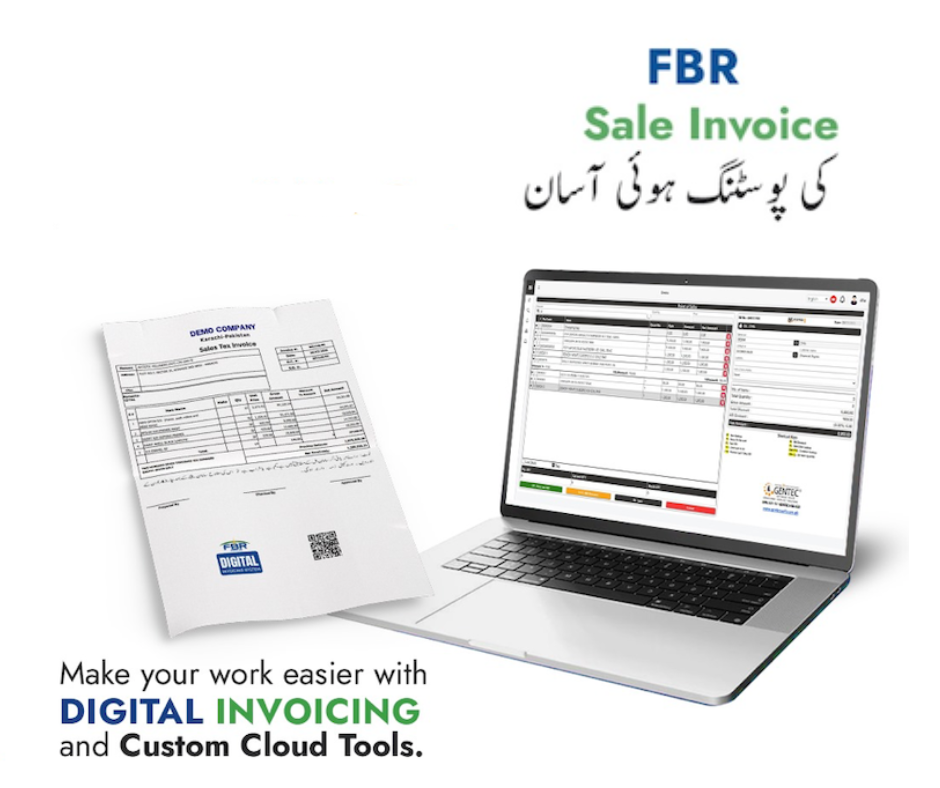
FBR sale invoice posting made easy — POS and printed tax invoice with QR
Sale invoice posting made easier

How retail teams use Integron today

  • Issue invoices from the Integron dashboard when POS export is batch-based
  • Connect a custom POS bridge via API keys and webhooks (your developer or ERP partner)
  • Reuse buyer/item libraries for repeat B2B counter sales
  • Print or email PDFs with FBR QR after successful submit

What to plan with your POS vendor

Confirm which FBR invoice scenarios apply to your retail model, whether you need real-time submit at payment or end-of-day consolidation, and who holds the IRIS production token. Test every scenario in sandbox before go-live. If FBR requires a licensed integrator for your category of taxpayer, follow the official route — software like Integron still uses the same PRAL API once credentials are in place.

Also read FBR e-invoicing Pakistan, digital invoice software, and FBR invoice integration.

Compare

Compare: invoicing software vs full ERP (POS)

POS, inventory, and purchases live in full ERP suites. Keep your till and add federal FBR through GetFBR’s API path.

GetFBR is not a POS vendor. Use the comparison below to decide: buy their native POS, or keep yours and pipe sales to FBR through GetFBR.

Invoicing software versus full ERP for POS, inventory, purchases, and FBR API integration
Capability Asan Invoice — FBR invoicing + API to your POS/ERP Full ERP + FBR (Bang.pk, FastAccounts, AQSA (EZCorporate), CT Products (Isolate ERP), and similar Lahore ERP suites)
Native POS checkout (till / counter software) Not included — FBR via API to your POS/ERP Yes
Thermal receipts printed at point of sale Not included — FBR via API to your POS/ERP Yes
Offline POS billing with sync when online Not included — FBR via API to your POS/ERP Varies by vendor
Inventory, stock & warehouse management Not included — FBR via API to your POS/ERP Yes
Purchases, payables & full accounting ledger Not included — FBR via API to your POS/ERP Yes
Payroll, HR & multi-branch ERP modules Not included — FBR via API to your POS/ERP Yes
Federal FBR digital invoicing (validate, submit, IRN/QR PDF) Yes Yes
Keep your current POS or ERP — add FBR via API (no rip-and-replace) Yes — REST API & webhooks Their bundled POS / ERP only
Debit & credit notes after FBR submission Yes Yes
Bulk CSV import, recurring billing & invoice templates Yes Varies by vendor
Audit-ready archive, FBR IRIS lookup & compliance export Yes Varies by vendor
Async FBR submit, webhooks & email when submission fails Yes Varies by vendor
Connector import from external billing / ERP Yes Varies by vendor
Line-level sales tax, further tax & retail/MRP notified values Yes Yes
Multi-user RBAC (viewer, branch roles) Yes
Multiple seller NTNs / legal entities in one login Not included — FBR via API to your POS/ERP Yes
Sandbox FBR scenarios before production Yes Yes
Provincial e-invoicing (PRA, KPRA, SRB, BRA) Federal FBR only — provincial via partners or your system Often bundled (e.g. Bang.pk) or separate (e.g. CT Products PRA)

POS, inventory, and purchases = typical full ERP path. Federal FBR + REST API to your POS = GetFBR path. Provincial PRA/KPRA/SRB/BRA = not GetFBR — use partners or your existing system (Bang.pk-style bundles vs CT Products PRA as a separate service). FBR integration overview · Lahore onboarding · API docs

Discuss POS + FBR setup

We can outline API vs dashboard flows for your store or chain.