

Complex FBR rules
Scenario and field constraints are easy to miss.
Our solution
Guided validation keeps you focused on the invoice.
Trusted by 200+ Pakistani businesses
Create, validate, and submit sales tax invoices to FBR — then download branded PDFs with IRN and QR codes. Plain-language errors, saved buyers, and a dashboard your finance team can use on day one.
API & POS integration, Lahore teams, and full pricing — on FBR Digital Invoicing (Asan Invoice).
Jump straight to signup, pricing, guides, and product areas — no hunting through the menu.
Watch how easy it is to create FBR-compliant invoices, validate with FBR, and manage your business from one dashboard.
Ready to get started? Create your account in less than 2 minutes.
No credit card required · Setup in 5 minutes
Complete Digital Invoicing in IRIS first — including the licensed integrator route FBR requires (often PRAL). Then connect your bearer token in Asan Invoice. Step-by-step register guide · IRIS bearer token article.
Watch the demo above, then follow register digital invoice in IRIS or request a live onboarding call via contact / WhatsApp.
Clearer validation, reusable buyers, and faster submission — without fighting cryptic API errors.
Scenario and field constraints are easy to miss.
Technical codes slow finance teams down.
Re-entering buyers and rechecking fields wastes hours.
Professional invoice PDFs usually need design help.
Typing NTNs and addresses again invites mistakes.
Finding issues after FBR rejects costs time.
From draft to FBR — debit & credit notes, bulk CSV import, recurring schedules, audit-ready archive, CSV export, webhooks, and plain-language validation errors.
Support for sale invoices and related digital flows.
Map FBR responses into plain language.
Catch field and line-item issues early.
Issue adjustments linked to the original FBR invoice reference.
Upload spreadsheets or convert PDF batches into draft invoices.
Automate repeat billing with monthly or custom run dates.
Download professional invoices with your details.
Reuse NTNs, addresses, and registration types.
Background FBR jobs, REST webhooks, connector imports, and email when submission fails.
Sales tax presets, custom rates, and retail/MRP notified values when FBR requires them.
Faster lookups while building line items.
Dashboard totals, CSV export, IRIS lookup, and submitted-invoice archive.
Secure account access from any device — no POS install required.
Reference visuals for IRN, QR codes, POS, and compliant PDFs — the same outcomes teams get on GetFBR.
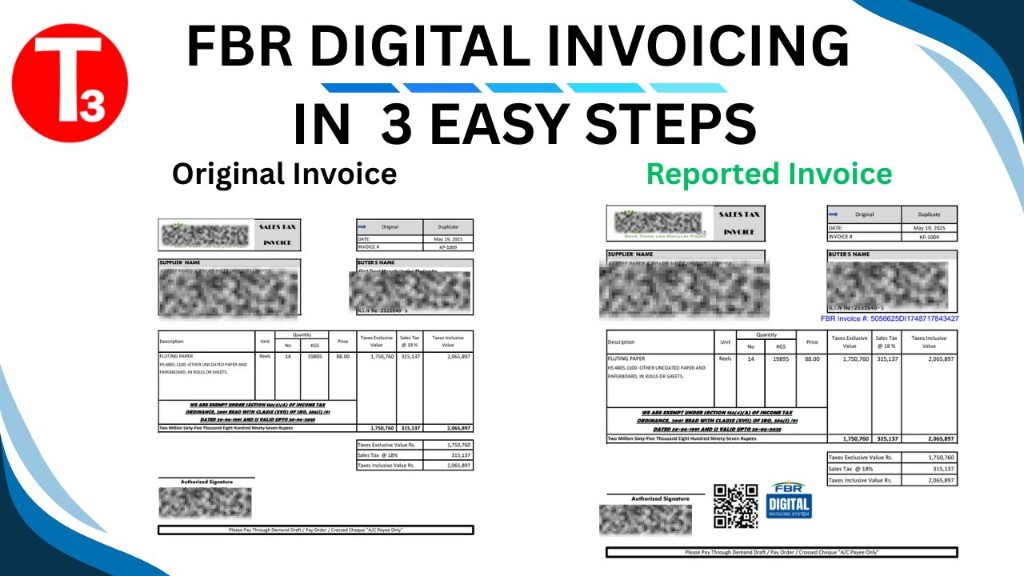
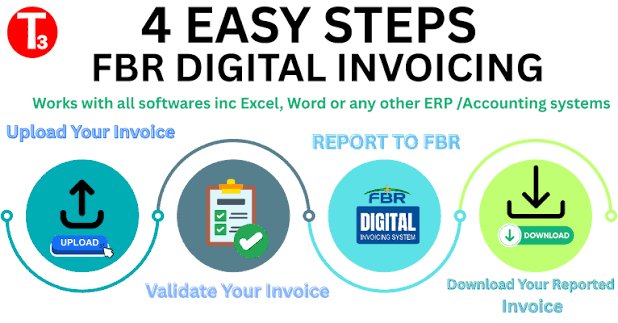
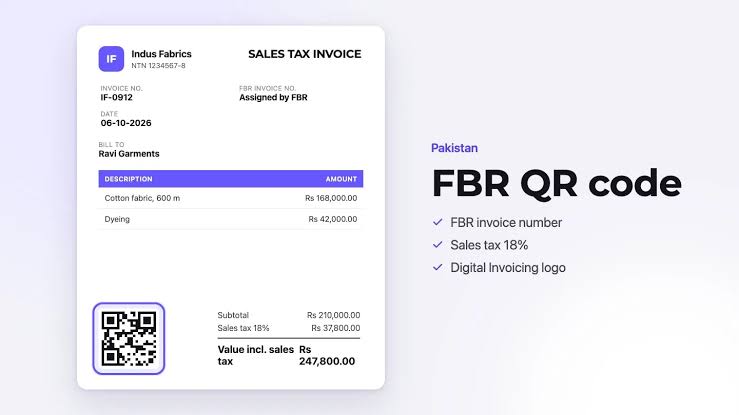
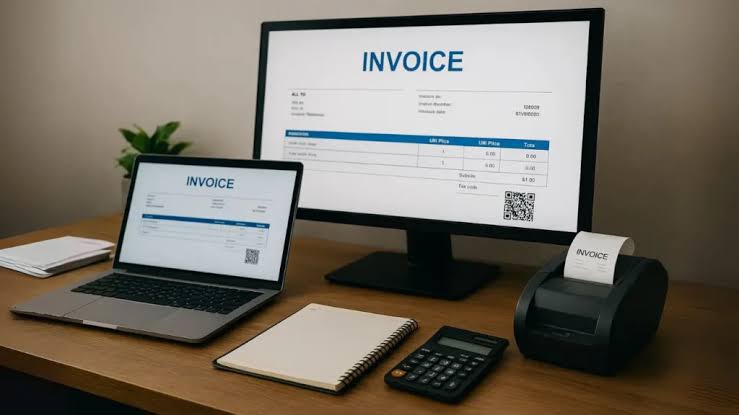
The same flow teams use on Integron Technologies — FBR Digital Invoicing — no custom ERP project required.
Sign up with email and password. After admin approval you get a free trial — no credit card required.
After IRIS digital invoicing setup (including licensed integrator / PRAL where FBR requires it), generate a sandbox or production bearer token and paste it into your profile settings.
Enter company name, NTN, address, logo, and tax registration details once — they appear on every PDF.
Save customer names, NTN, and addresses in your buyer library for faster repeat invoicing.
Reuse line items, HS codes, UOM, and tax rates — or save whole invoice templates for monthly billing.
Select a buyer, add lines, pick the FBR scenario — tax and totals calculate automatically.
Validate, then submit with one click. IRN, USIN, and QR data return into your invoice record.
Download a branded PDF with FBR QR code, then share via email or WhatsApp — in-app alerts email your team when FBR accepts or rejects.
Full step-by-step guide Create free account
Upload or create your invoice, validate with PRAL, report to FBR, and download the reported PDF with IRN and QR.
Branded PDF layouts for FBR digital invoicing — with your logo, buyer details, line items, and verification QR after submit. Choose a PDF profile in settings; save invoices as reusable templates in the app.
Clean and professional for digital businesses and service providers.
Full line detail with HS codes, quantities, UOM, and tax columns for audits.
Compact grid ideal for bulk billing and accountants who prefer spreadsheet-style PDFs.
Traditional formal layout for shops, wholesalers, and businesses that want a conservative look.
All PDFs include FBR verification data (IRN / QR) after successful submission. Upload your logo in profile settings; multiple PDF layouts are available for taxpayers after sign-in.
Pakistan-focused software — IRIS tokens, validation, submission, and PDFs in one workspace.
Late or incorrect FBR reporting risks fines
IRIS mismatches slow audits and buyer disputes
Retyping NTN and HS codes invites rejections
Waiting on validation and PDF handoff delays cash flow
FBR Digital Invoicing automates validation and FBR submission.
Features you see on leading FBR software sites — already wired into this product.
Draft, validate, submit, cancel, and download PDFs — with status tracking on your dashboard.
Sandbox and production environments, scenario support, and plain-language error help.
Buyer company library (customer NTNs), reusable templates, and saved line items.
Monthly or custom schedules from templates — run on due dates or manually.
Monthly totals, CSV export, scheduled summary email, failed-invoice views, and audit-ready archive with IRIS lookup.
REST keys, outbound webhooks, connector pulls from external billing, and async FBR submission jobs.
One seller NTN per login with unlimited buyer companies. Share access securely or automate via API — dedicated viewer roles not offered today.
Help center articles plus in-app support tickets when you need a human.
Standard includes a product demo and full portal access so your team submits invoices. Enterprise adds managed invoicing — we validate and submit on your behalf. Start with a 7-day free trial after admin approval.
Demo + portal access — you operate the software
Rs. 2,000/ month
Same self-service portal — pay once per year
Rs. 20,000/ year
Managed invoicing — we handle FBR for you
Rs. 3,000/ month
Managed service with annual billing
Rs. 30,000/ year
All prices in PKR · No credit card required for trial · Contact sales for Enterprise onboarding · FBR e-invoicing software cost guide
Full ERP vendors bundle POS, inventory, and purchases with FBR. GetFBR is invoicing software plus the federal FBR API — connect your existing POS or ERP through REST API and webhooks instead of replacing your till.
GetFBR is not a POS vendor. Use the comparison below to decide: buy their native POS, or keep yours and pipe sales to FBR through GetFBR.
| Capability | Asan Invoice — FBR invoicing + API to your POS/ERP | Full ERP + FBR (Bang.pk, FastAccounts, AQSA (EZCorporate), CT Products (Isolate ERP), and similar Lahore ERP suites) |
|---|---|---|
| Native POS checkout (till / counter software) | Not included — FBR via API to your POS/ERP | Yes |
| Thermal receipts printed at point of sale | Not included — FBR via API to your POS/ERP | Yes |
| Offline POS billing with sync when online | Not included — FBR via API to your POS/ERP | Varies by vendor |
| Inventory, stock & warehouse management | Not included — FBR via API to your POS/ERP | Yes |
| Purchases, payables & full accounting ledger | Not included — FBR via API to your POS/ERP | Yes |
| Payroll, HR & multi-branch ERP modules | Not included — FBR via API to your POS/ERP | Yes |
| Federal FBR digital invoicing (validate, submit, IRN/QR PDF) | Yes | Yes |
| Keep your current POS or ERP — add FBR via API (no rip-and-replace) | Yes — REST API & webhooks | Their bundled POS / ERP only |
| Debit & credit notes after FBR submission | Yes | Yes |
| Bulk CSV import, recurring billing & invoice templates | Yes | Varies by vendor |
| Audit-ready archive, FBR IRIS lookup & compliance export | Yes | Varies by vendor |
| Async FBR submit, webhooks & email when submission fails | Yes | Varies by vendor |
| Connector import from external billing / ERP | Yes | Varies by vendor |
| Line-level sales tax, further tax & retail/MRP notified values | Yes | Yes |
| Multi-user RBAC (viewer, branch roles) | One taxpayer login + API for ERP teams | Yes |
| Multiple seller NTNs / legal entities in one login | Not included — FBR via API to your POS/ERP | Yes |
| Sandbox FBR scenarios before production | Yes | Yes |
| Provincial e-invoicing (PRA, KPRA, SRB, BRA) | Federal FBR only — provincial via partners or your system | Often bundled (e.g. Bang.pk) or separate (e.g. CT Products PRA) |
POS, inventory, and purchases = typical full ERP path. Federal FBR + REST API to your POS = GetFBR path. Provincial PRA/KPRA/SRB/BRA = not GetFBR — use partners or your existing system (Bang.pk-style bundles vs CT Products PRA as a separate service). FBR integration overview · Lahore onboarding · API docs
Asan Invoice helps businesses manage digital invoices, validate invoice information, and streamline FBR invoicing workflows. Integration requirements depend on your circumstances and applicable FBR rules. Notified registered persons should use an integration route permitted by FBR — including a currently licensed integrator or PRAL where applicable — before connecting billing software.
Technical paths: FBR invoice integration, API integration, POS integration, and ERP integration.
Workflow notes for manufacturers, retailers, and wholesalers.
Guides on setup, validation errors, pricing, and compliance.
What to evaluate when choosing FBR digital invoice software.
FBR Digital Invoicing by Integron Technologies connects your team to FBR digital invoicing workflows — draft, validate, submit, and download branded PDFs without wrestling opaque API messages.
Whether you are moving from manual IRIS entry or integrating sales tax invoices into daily operations, the platform supports sandbox testing and production submission, reusable buyer NTN profiles, HS code and UOM helpers, and plain-language guidance when FBR returns an error.
Searches for digital invoice, digital invoicing, e-invoice, e-invoicing, FBR, and IRIS all describe the same compliance job in Pakistan: register in IRIS, then issue electronic sales tax invoices. Read e-invoicing in Pakistan and how to register a digital invoice.
Under SRO 709(I)/2025 and the Sales Tax Act 1990, sales-tax-registered businesses in Pakistan must send their sales tax invoices to FBR electronically, in real time. That applies to corporate and non-corporate registered persons alike, which is why so many finance teams are moving off manual entry and onto integrated digital invoicing.
Invoices reach FBR through the Digital Invoicing API operated by PRAL. After you complete digital invoicing setup in the IRIS portal — including the licensed integrator route FBR requires for your taxpayer category (often PRAL in IRIS) — you generate a bearer token for your NTN and connect it in GetFBR to validate, submit, and store IRN/QR data without building your own API client. FBR’s FAQ notes that PRAL may provide integration services under prescribed rules, often without an integration fee from PRAL; you still complete IRIS registration and scenario testing. A token alone does not replace integrator obligations. See how FBR digital invoicing integration works →
After FBR assigns an IRN you cannot edit the live invoice — issue a linked debit or credit note instead. Finance teams use bulk CSV import, recurring schedules, REST API keys, and webhooks to stay compliant without replacing an existing ERP or POS. Full feature checklist →
Every accepted invoice comes back with an IRN (Invoice Registration Number), a USIN, and a QR code your buyer can scan to verify it. All three are printed on the branded invoice PDFs automatically, so what you hand a customer is already compliant.
Work through the FBR invoice scenarios that apply to your business in the sandbox environment, confirm each returns a valid response, then switch to your production token when you are ready. Finance teams use Integron Technologies — FBR Digital Invoicing to reduce rework, keep invoice data consistent, and submit with more confidence. Start with a free trial, connect your FBR token, and validate your first invoice in minutes.
FBR’s Digital Invoicing materials cite real-time submission, fewer manual errors, smoother ERP integration, and auto-population of invoice data into Annexure C and sales tax return workflows on FBR’s side. FBR Digital Invoicing handles validate-and-submit to PRAL and audit-ready records in your account — confirm return and annexure details on current IRIS screens.
Need setup help? Visit the Help center or email subhani.lhr57@gmail.com.
Short answers here — longer guides on e-invoicing, integration, and registration linked below.
Guides and tips to help your business stay compliant with Pakistan’s digital invoicing rules.
Automation
Architecture options for POS and ERP FBR integration — API, batch, webhooks, sandbox testing, and go-live checklist.
Read more about How to Integrate POS or ERP with FBR Digital Invoicing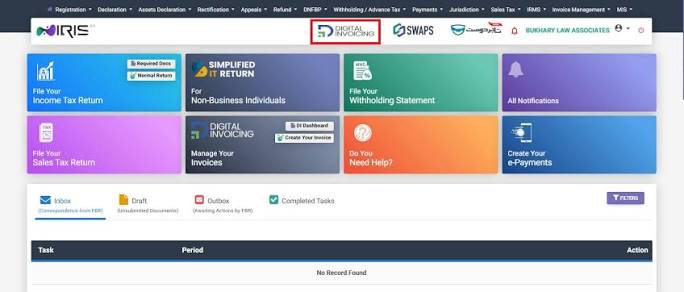
FBR compliance
What FBR digital invoicing software costs — subscription models, what to compare, and questions to ask before you buy.
Read more about FBR E-Invoicing Software Pricing in Pakistan (2026)
Best practices
Fix common FBR digital invoice rejections: scenario mismatches, buyer NTN, HS codes, sandbox vs production, and token issues.
Read more about FBR Invoice Validation Errors — Troubleshooting GuideHave questions? We’re here to help with FBR setup, pricing, and support.
Join 200+ businesses using Integron Technologies to create, validate, and submit invoices with less friction.
No credit card required · Setup in minutes