Teams searching for FBR digital invoice software,
FBR e invoice software Pakistan, or Lahore ERP listings need more than a PDF template —
they need IRIS/PRAL validation, submission, and an IRN on every invoice.
FBR Digital Invoicing covers the full federal FBR loop plus import, recurring billing, and API automation.
What compliant digital invoice software delivers
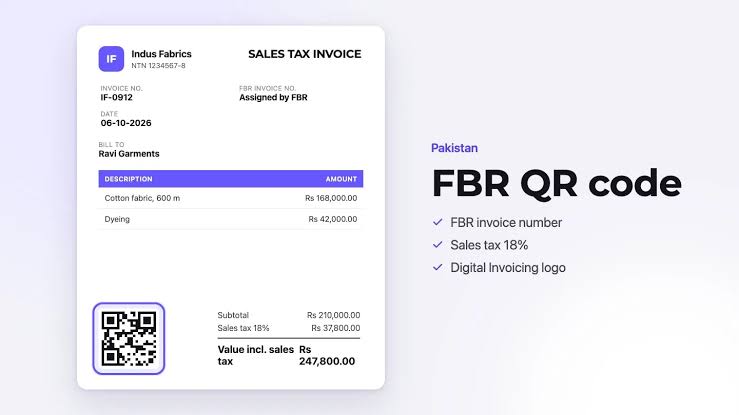
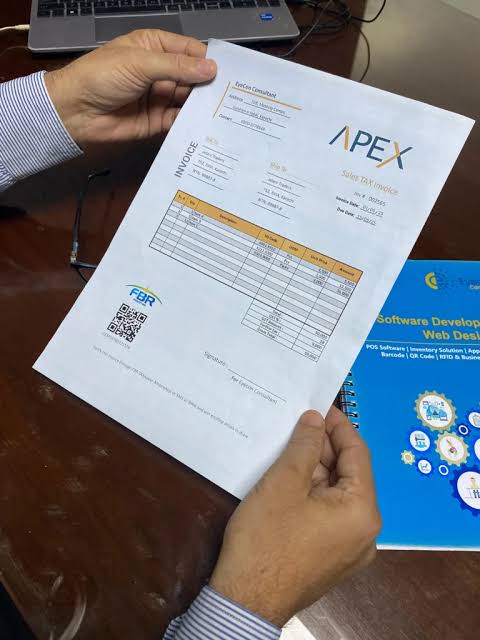
IRN, 18% sales tax, and verifiable QR on PDF
From paper to digital invoicing
Invoice on every device — plus print when you need it
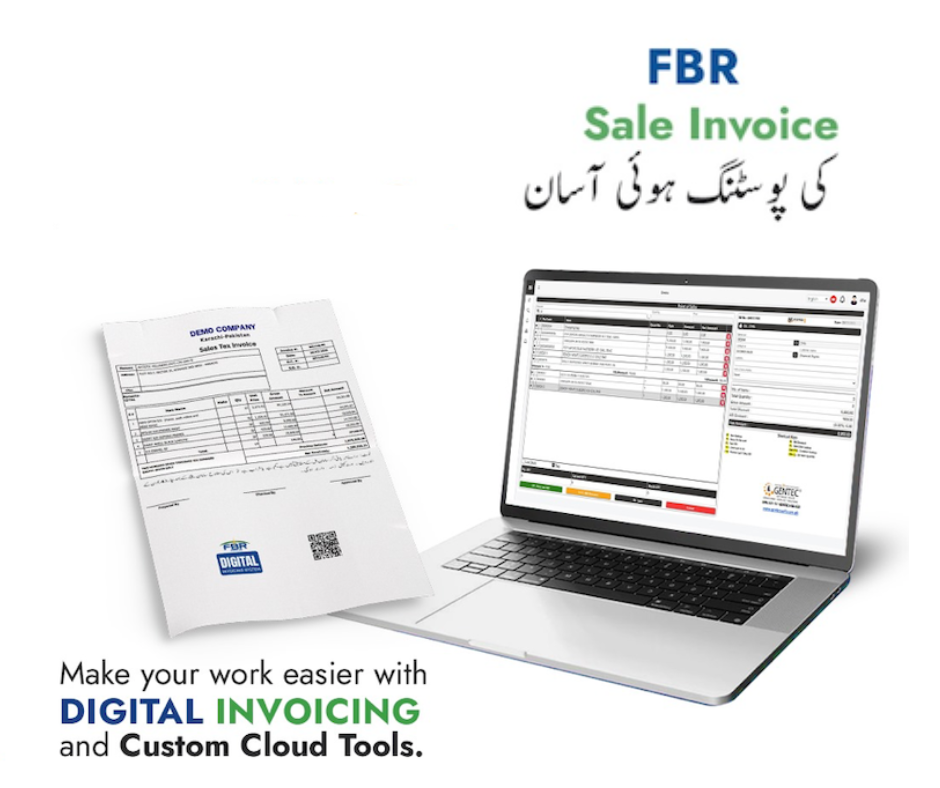
Sale invoice posting made easier
What buyers see on a compliant invoice
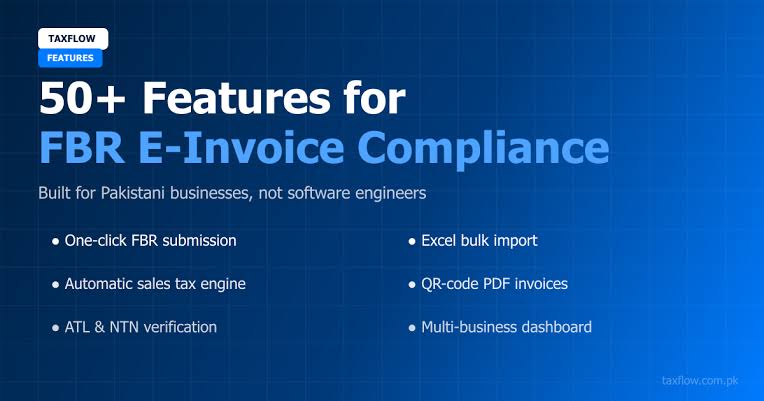
Built for Pakistani FBR compliance
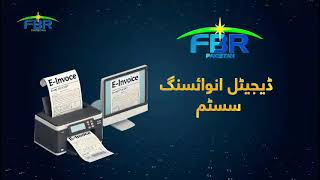
Watch how digital invoicing works
Who this software is for
Sales-tax registered businesses moving off manual IRIS entry
Finance teams comparing FBR digital invoicing providers in Lahore and nationwide
Operations that want sandbox testing before production billing
Companies that need branded PDFs with FBR QR codes for buyers
Businesses keeping an existing ERP/POS and adding FBR via REST API
What to compare when you evaluate providers
Useful FBR digital invoice software should cover: draft → validate → submit →
store IRN/USIN/QR → download PDF → adjustments (debit/credit notes) → audit history.
Check for buyer libraries, HS/UOM helpers, plain-language
FBR errors, sandbox and production IRIS tokens, bulk import, and whether the vendor is a
full ERP or a focused FBR layer you can connect to existing billing.
Bulk CSV & Excel import
High-volume billing teams compare Bang.pk and FastAccounts partly on data entry speed.
GetFBR supports bulk CSV import to draft many invoices at once, plus PDF-to-row
extraction when you are migrating from spreadsheets or legacy PDFs. Validate in sandbox, fix rows with
plain-language FBR errors, then submit to production — or pipe the same payloads through the
REST API when your ERP owns the source data.
Recurring invoices
Retainers, rent, and monthly service contracts do not belong hidden under a generic “API” bullet.
Build recurring schedules from invoice templates,
set monthly or custom run dates, and generate drafts automatically — then validate and submit to FBR
like any other invoice.
Audit-ready archive & reports
Competitors market “centralized records” and audit trails. GetFBR keeps a
submitted-invoice archive with FBR IRIS lookup and nightly sync, compliance exports,
dashboard totals, CSV export, and a scheduled monthly summary email
to your finance team — plus in-app and email alerts when async FBR submission fails.
Async submit, webhooks & connector imports
FBR jobs run in the background so the dashboard stays responsive. Configure
outbound webhooks when IRN data is stored, use connector imports to
pull rows from external billing, and rely on submission status tracking with email on failure — the
same automation story ERP vendors tell, without replacing your till.
Asan Invoice feature checklist
FBR scenario support with validate-then-submit to PRAL
Debit and credit notes tied to original FBR invoices
Bulk CSV import plus PDF-to-row extraction for migration
Recurring invoice schedules with manual or scheduled runs
Branded PDFs with IRN, USIN, and QR after FBR accept
Buyer company library (unlimited customer NTNs per account), templates, and HS / UOM helpers
One seller NTN profile per login — add more legal entities with separate accounts or API from your ERP
Line-level sales tax with preset and custom rates; retail/MRP notified values when required
Sandbox and production IRIS bearer tokens in one account
REST API keys, outbound webhooks, and connector imports from external billing
Dashboard reports with CSV export and scheduled monthly summary email to your team
Async submission with in-app alerts and email when FBR submission fails
Plain-language FBR validation error guidance
Federal FBR vs provincial tax (PRA, KPRA, SRB, BRA)
Use GetFBR for federal sales tax invoices to FBR and
API integration to your stack.
For Punjab PRA or other provincial e-invoicing, plan a separate product or integrator — not this app.
PRAL and licensed integrators
FBR requires notified registered persons to integrate through a licensed integrator.
PRAL is listed as an option that may provide integration services under FBR rules, often
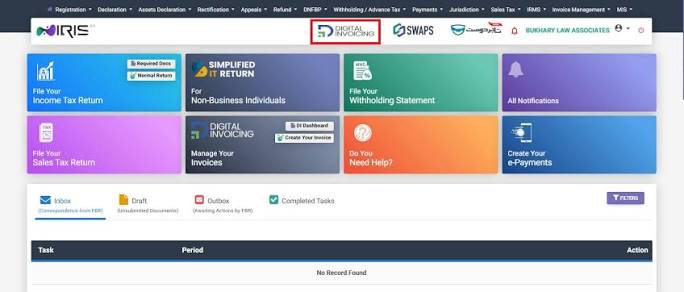
without charging taxpayers an integration fee from PRAL. Complete IRIS Digital Invoicing
setup first, then connect your bearer token in GetFBR.
Integration guide ·
IRIS registration.
Full ERP vendors bundle POS, inventory, and purchases with FBR. GetFBR is invoicing software plus the federal FBR API — connect your existing POS or ERP through REST API and webhooks instead of replacing your till.
GetFBR is not a POS vendor. Use the comparison below to decide: buy their native POS, or keep yours and pipe sales to FBR through GetFBR.
Invoicing software versus full ERP for POS, inventory, purchases, and FBR API integration
Capability
Asan Invoice — FBR invoicing + API to your POS/ERP
Full ERP + FBR (Bang.pk, FastAccounts, AQSA (EZCorporate), CT Products (Isolate ERP), and similar Lahore ERP suites)
Native POS checkout (till / counter software)
Not included — FBR via API to your POS/ERP
Yes
Thermal receipts printed at point of sale
Not included — FBR via API to your POS/ERP
Yes
Offline POS billing with sync when online
Not included — FBR via API to your POS/ERP
Varies by vendor
Inventory, stock & warehouse management
Not included — FBR via API to your POS/ERP
Yes
Purchases, payables & full accounting ledger
Not included — FBR via API to your POS/ERP
Yes
Payroll, HR & multi-branch ERP modules
Not included — FBR via API to your POS/ERP
Yes
Federal FBR digital invoicing (validate, submit, IRN/QR PDF)
Yes
Yes
Keep your current POS or ERP — add FBR via API (no rip-and-replace)
Async FBR submit, webhooks & email when submission fails
Yes
Varies by vendor
Connector import from external billing / ERP
Yes
Varies by vendor
Line-level sales tax, further tax & retail/MRP notified values
Yes
Yes
Multi-user RBAC (viewer, branch roles)
One taxpayer login + API for ERP teams
Yes
Multiple seller NTNs / legal entities in one login
Not included — FBR via API to your POS/ERP
Yes
Sandbox FBR scenarios before production
Yes
Yes
Provincial e-invoicing (PRA, KPRA, SRB, BRA)
Federal FBR only — provincial via partners or your system
Often bundled (e.g. Bang.pk) or separate (e.g. CT Products PRA)
POS, inventory, and purchases = typical full ERP path.
Federal FBR + REST API to your POS = GetFBR path.
Provincial PRA/KPRA/SRB/BRA = not GetFBR — use partners or your existing system (Bang.pk-style bundles vs CT Products PRA as a separate service).
FBR integration overview ·
Lahore onboarding ·
API docs
Choose the right FBR stack for your business
Choose full ERP + FBR if you need
Native POS, thermal receipts, or offline retail billing
Purchases, inventory, payroll, and full general ledger
Provincial service tax (PRA, KPRA, SRB, BRA) in one ERP
On-site implementation across many branches
A single vendor for accounting plus FBR in one box
Choose Asan Invoice if you need
Dedicated federal FBR digital invoicing (validate → submit → IRN/QR PDF)
Sandbox scenario testing before production billing
Debit/credit notes, bulk CSV import, and recurring schedules
Branded PDFs, buyer library, and invoice templates
REST API, webhooks, and connector imports to your existing ERP or POS — no rip-and-replace
Validate and submit to FBR, debit/credit notes, bulk CSV import, recurring schedules, buyer library, templates, branded PDFs with IRN/QR, sandbox and production tokens, audit-ready archive with IRIS lookup/sync, CSV export, monthly summary email, REST API, webhooks, connector imports, and plain-language validation errors. Full checklist: https://asaninvoice.com/digital-invoice-software
How is GetFBR different from Bang.pk, FastAccounts, or full ERP vendors?
Those vendors often bundle POS, inventory, purchases, payroll, and sometimes provincial tax. GetFBR is a focused FBR e-invoicing layer with API hooks to your existing stack — compare on https://asaninvoice.com/digital-invoice-software and https://asaninvoice.com/fbr-e-invoicing-software-lahore.
What is FBR digital invoicing software?
Software that connects to IRIS/PRAL with your token so you can draft invoices, validate FBR rules, submit for an IRN, and download branded PDFs — without building your own API client. Compare features: https://asaninvoice.com/digital-invoice-software
Do I need a licensed integrator to connect to FBR?
For many notified registered persons, yes. FBR’s published FAQ requires integration through a licensed integrator; PRAL is also identified as an option offering integration services under FBR’s specified rules. Complete that IRIS setup — including the integrator route that applies to you — before using GetFBR. GetFBR is invoicing software that submits via the Digital Invoicing API with your IRIS bearer token; it does not waive integrator, registration, or category-specific FBR requirements. Confirm on current FBR notices and IRIS screens. Guide: https://asaninvoice.com/integration
What about FBR invoice integration, API, or POS/ERP?
Use the dashboard for day-to-day billing, or REST API keys and webhooks to connect ERP or POS flows. Technical pages: https://asaninvoice.com/integration, https://asaninvoice.com/fbr-api-integration, https://asaninvoice.com/fbr-pos-integration
Can I test in sandbox before going live?
Yes. Run the invoice scenarios that apply to your business with a sandbox token first. When responses are correct, switch to your production token. Help: https://asaninvoice.com/help and https://asaninvoice.com/blog/sandbox-vs-production-fbr-invoices
Can I use PRAL as my licensed integrator?
FBR’s published FAQ states that notified registered persons integrate through a licensed integrator, and PRAL may provide integration services under FBR’s rules — often at no integration fee from PRAL. Complete Digital Invoicing setup in IRIS (including the integrator route that applies to you), then paste your bearer token into GetFBR. GetFBR is software that calls the PRAL API; it does not replace IRIS registration. Details: https://asaninvoice.com/integration
Can I edit an invoice after FBR accepts it?
After FBR returns an IRN, the posted invoice cannot be changed on FBR. Issue a debit or credit note linked to the original invoice reference, validate, and submit the adjustment through the same PRAL workflow. GetFBR supports adjustment scenarios in sandbox and production.